1. The Problem with Existing Tools
Quick capture is supposed to be frictionless. When an idea, meeting bullet, or phone number hits your mind, opening a scratchpad should take milliseconds. Instead, modern productivity software has become obese:
- Microsoft OneNote: Heavy, cloud-dependent, and overwhelming. Spawning OneNote loads hundreds of megabytes into memory, demands notebook synchronization, and presents five toolbars when all you wanted was an empty canvas.
- Apple Notes: Elegant, but completely absent on Windows. If your daily driver is a Windows 11 PC, you do not exist in Apple's ecosystem.
- Built-in Windows Sticky Notes: Offers no markdown support, no keyboard slash commands, and scatters detached floating windows that obscure whatever code editor, spreadsheet, or browser window you are working in.
- Notion: A browser runtime wrapped in Electron. It takes 5 to 10 seconds to authenticate and load workspace schemas over the network. It is world-class software for company wikis, but absurdly slow for a grocery list.
The tools we use to capture ephemeral thoughts should not demand more system resources than the applications we use to build software.
2. The Technical Stack: Why Rust + Tauri v2
Most desktop utilities default to Electron. That decision immediately packages a dedicated Chromium browser engine and Node.js runtime into your installer. The result is a 150MB+ download and an app idling at 200MB to 400MB of RAM.
Instead, I chose Rust + Tauri v2 paired with Windows 11's pre-installed WebView2 runtime.
Because Microsoft WebView2 is already resident on modern Windows machines, stickies.lol does not need to bundle Chromium. The compiled Windows installer is just 4.0 MB.
The native Rust process handles system-level mechanics directly:
- Global hotkey registration (Win+Alt+N, Win+Alt+A) without accessibility hook overhead.
- Sub-millisecond cursor distance detection along the right display edge.
- Instant SQLite read/write operations with zero garbage-collection pauses.
- Cold boot time from invocation to first paint in under 200 milliseconds.
3. The Design Philosophy: Edge-Docked & Out of the Way
Desktop sticky notes usually fail because of spatial friction. Floating windows cover your code or get buried behind maximized windows.
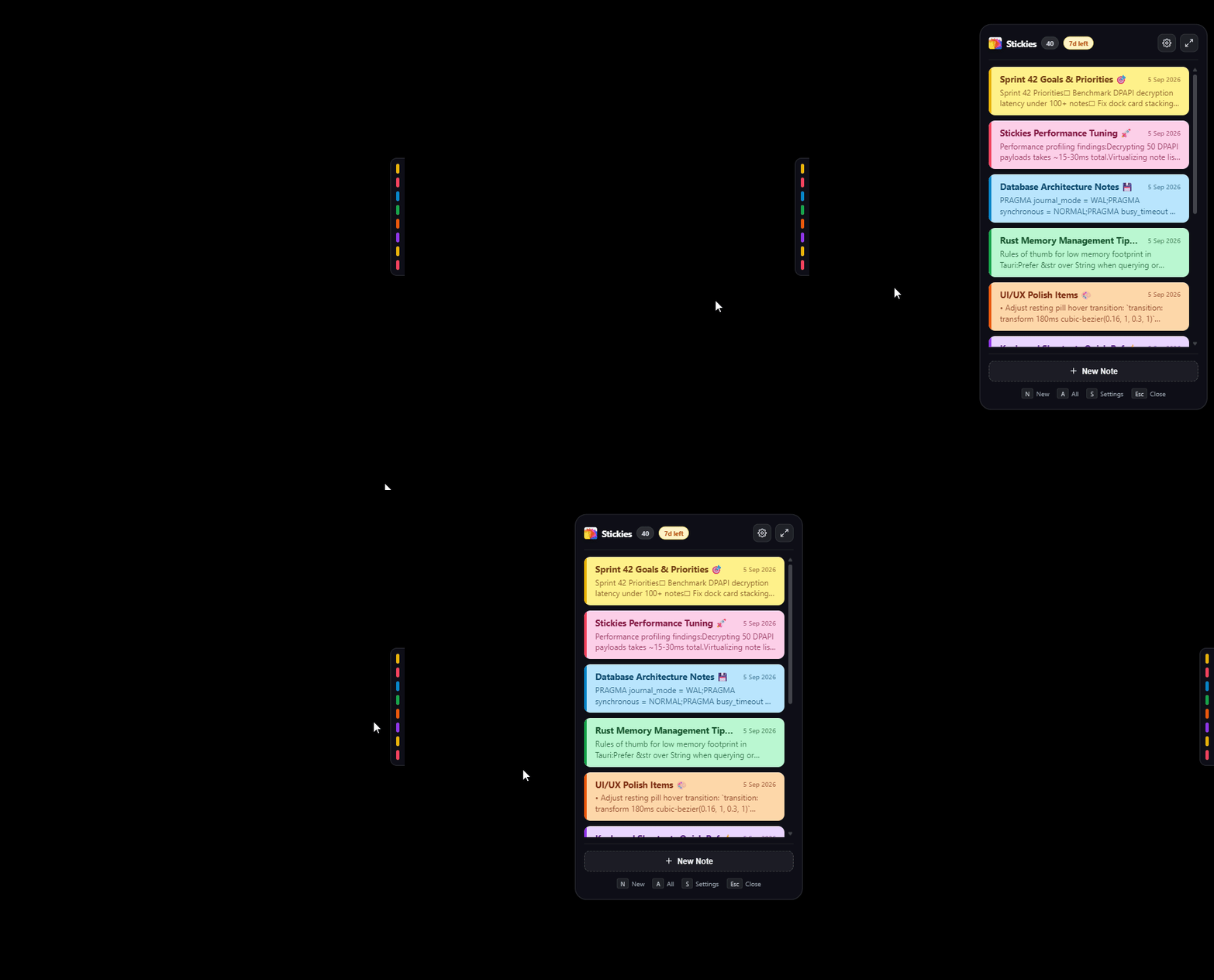
stickies.lol solves this with a three-state edge gesture:
Three States, One Movement
At rest: The entire app collapses into a 12pt colored pill docked flush to the right border of your primary display. It stays out of your way and takes up zero taskbar or window space.
On hover: Moving your cursor to the edge triggers a 45ms staggered cascade, fanning out your note titles and color swatches.
On click: The active card expands in place. You write, execute commands, and press Esc to tuck it right back.
There are no window borders, no window chrome buttons, and no taskbar entries eating space. It acts more like a physical drawer built into the bezel of your monitor than a standard desktop app.
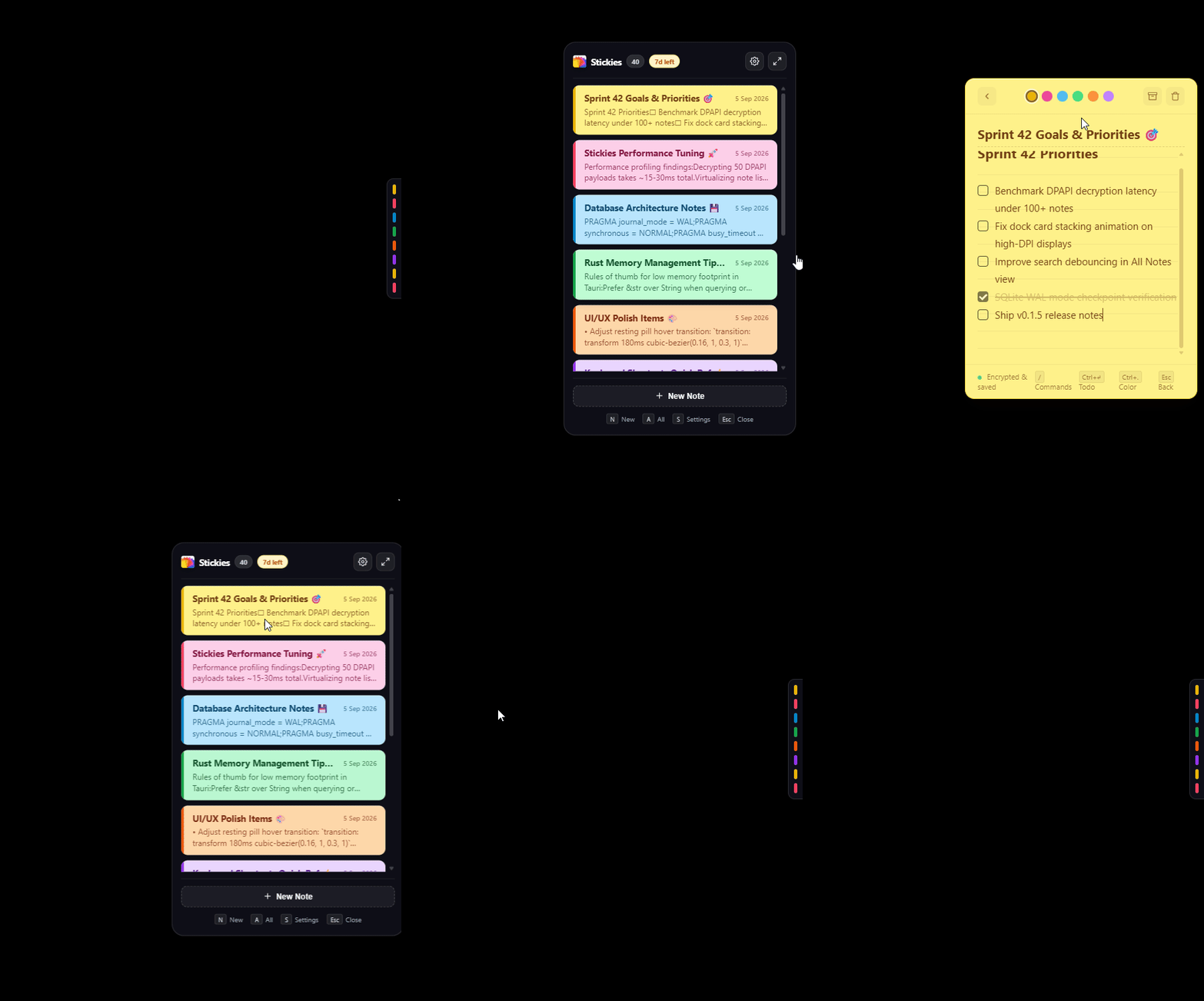
To keep typing speed uninterrupted, every note supports instant keyboard slash commands:
/standup: Scaffolds Yesterday, Today, and Blockers headings in one tap./calc: Evaluates inline math expressions like(850 * 1.15) - 40without launching calculator.exe./clean: Automatically purges checked todo checkboxes with a single keystroke.
4. Privacy by Design: DPAPI Hardware Encryption
Notes are private thoughts: passwords, sprint drafts, personal reflections, and sensitive architecture decisions. Storing them on a remote cloud server is an unnecessary risk for a desktop utility.
stickies.lol implements local-first security:
pub fn encrypt_note_payload(plain: &[u8]) -> Result<Vec<u8>, String> {
    // CryptProtectData ties AES encryption directly to the logged-in Windows user master key
    unsafe {
        let mut data_in = DATA_BLOB {
            cbData: plain.len() as u32,
            pbData: plain.as_ptr() as *mut u8,
        };
        let mut data_out = DATA_BLOB { cbData: 0, pbData: std::ptr::null_mut() };
        if CryptProtectData(&mut data_in, std::ptr::null(), std::ptr::null_mut(), std::ptr::null(), std::ptr::null_mut(), 0, &mut data_out) != 0 {
            Ok(Vec::from_raw_parts(data_out.pbData, data_out.cbData as usize, data_out.cbData as usize))
        } else {
            Err("DPAPI hardware encryption failed".into())
        }
    }
}
Every note payload is encrypted before it touches your SSD using the Windows Data Protection API (DPAPI). The encryption key is derived directly from your Windows user account credentials. If someone copies your SQLite database file from your drive, the notes remain unreadable without your Windows login key.
- Zero Telemetry: No Google Analytics, no Mixpanel, no Sentry, no background trackers.
- No Cloud Accounts: No email signups, no social logins, no subscriptions.
- One Network Call Ever: The only time stickies.lol ever reaches the network is during one-time license activation via Polar.sh.
Try stickies.lol on Windows 11
stickies.lol is launching on Product Hunt today. Grab the early-bird price ($4.99 one-time) or try it free for 7 days: no credit card required.